mirror of
https://git.sr.ht/~coasteen/webui
synced 2026-06-20 18:06:37 +02:00
WebUI for managing file transfers
| .gitignore | ||
| index.html | ||
| LICENSE | ||
| package-lock.json | ||
| package.json | ||
| preview.png | ||
| README.md | ||
| script.js | ||
| server.js | ||


WebUI - A Simple File Management Tool
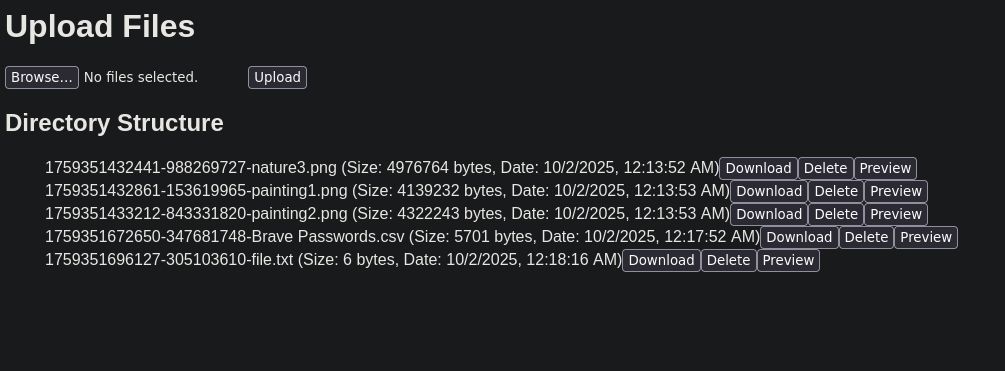
WebUI is a lightweight and easy-to-use web application for managing files on your server.
Screenshot
Getting Started
dependencies
- Node.js installed on your system.
Installation
- Clone:
git clone https://codeberg.org/coast/webui.git - Navigate to the directory:
cd webui - Install dependencies:
npm install
Usage
- Start the server:
node server.js - Open your browser of choice and go to
http://<SERVER_IP>:3000orhttp://localhost:3000.
License
This project is licensed under the GPL v2.0 License.